LED Wall Visuals
$49 USD70 motion loops for LED walls in Full HD and square.
70 distinct designs
MP4MOV
1920×1080 + 1080×1080EXPLORE BY EFFECT TYPE
Compare LED wall visuals and VJ loops for live shows. See real previews, full-HD and square formats, codecs, prices and included editor access.
70 motion loops for LED walls in Full HD and square.
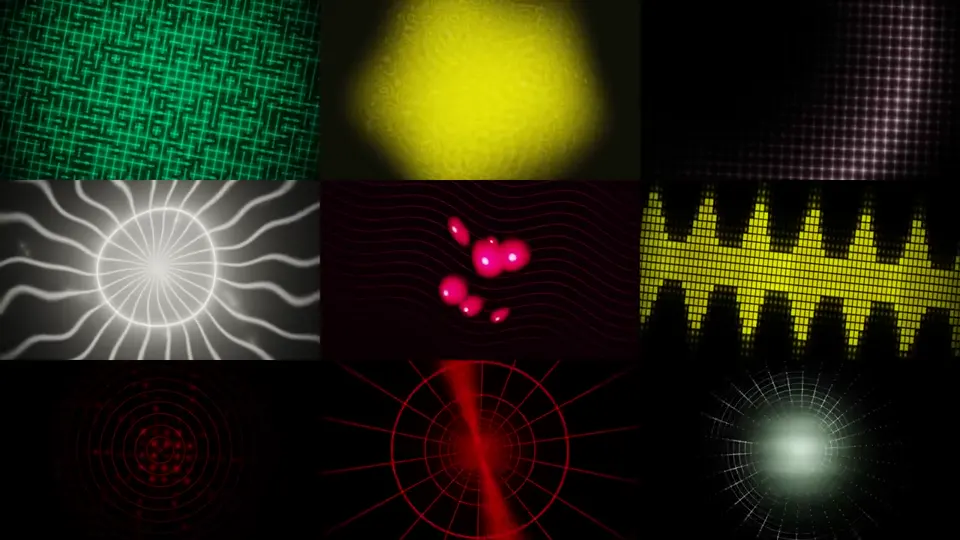
6,792 Full HD video loops for VJ software, LED video walls and live performances.
Check the native dimensions, formats and frame rates on each product page. LED panel, strip and wall compositions have separate layouts. The included editor can customize rendered colors, speed and geometry; your mapping software still determines the controller workflow.
Browse the full library ↗BUYING GUIDE
LED walls and media servers need video content composed for large screens, not tiny matrix graphics enlarged until they blur. This section compares a focused modern wall pack with a much larger VJ library. Both use black-backed, high-contrast visuals, but they serve different buying needs.
LED Wall Visuals is a curated collection of separately composed spatial effects, geometry, particles and performance backgrounds. It includes full-HD and square deliveries so you can choose a source closer to the final canvas instead of cropping every clip during setup. The product page shows the actual designs, format list, frame rate and measured download size.
VJ Loops Mega Pack #3 is the volume option for VJs and venues that need a broad library across many visual families, palettes and speed tiers. Choose it when variety and a large pool of show content matter more than a compact hand-picked set.
If you also run low-resolution pixel panels and strips, compare the Pixel LED Complete Collection. Read the bundle contents carefully: wall loops, matrix animations and one-row strip effects use different native compositions.
Start with the output canvas in Resolume, MadMapper, OBS or another media workflow. A 1920×1080 source fits a standard 16:9 composition; a square source is more appropriate for square LED canvases and social-style installations. Cropping can be creative, but it should be intentional.
LED Wall Visuals uses 30 FPS wall delivery and lists H.264 MP4, PhotoJPEG MOV, MJPEG AVI and rendered SWF options where supplied. VJ Mega Pack #3 has its own specifications. Always use the individual product page as the source of truth for codec, dimensions and archive size.
The files are visual media, not a promise of automatic controller compatibility. Test the codec and performance in the computer and playback application used at the venue. Mapping, color calibration and signal output remain part of the show workflow.
Every featured sheet and video on the product pages comes from the delivered animations. Watermarks identify website previews while the customer archive contains the clean rendered files. Use the contact sheets to compare composition families, then watch the embedded preview to judge motion and speed.
Large screens expose weak spacing and arbitrary lines quickly. The wall collection therefore emphasizes readable focal motion, depth, symmetry, layered particles and coherent visual rhythm rather than simply adding detail everywhere.
Every paid pack includes the Windows Pixel LED Effects Editor. It can preview effects and create adjusted copies with new color or speed settings. The original remains unchanged. For complex live compositing, layer control and output mapping, continue using your preferred VJ application.
For low-resolution panels, browse LED matrix animation packs. For holiday installations, see Christmas and Halloween LED effects.