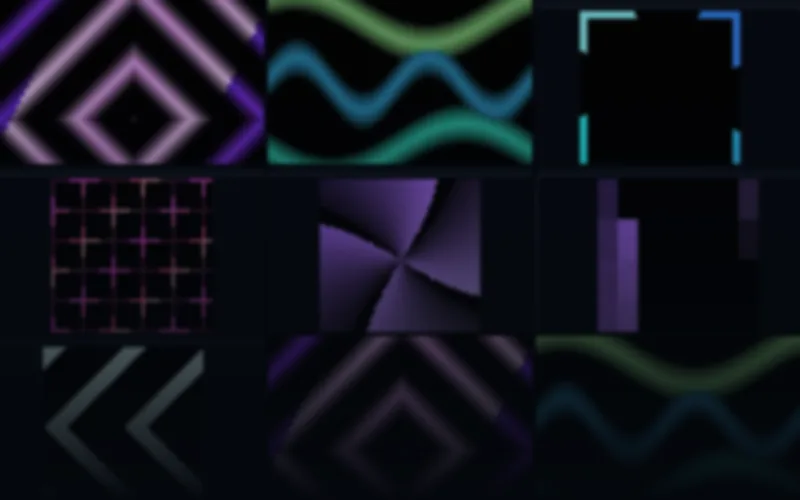
Neon Geometry
$29 USDSharp geometry with luminous color and deliberate rhythm.
68 distinct designs
AVIMP4SWF
10 native layouts · up to 256×256EXPLORE BY EFFECT TYPE
Neon geometry, strong shapes and clear spatial motion for pixel LED panels. Explore native matrix sizes and customize colors in the included editor.
Sharp geometry with luminous color and deliberate rhythm.
Previews
Check the native dimensions, formats and frame rates on each product page. LED panel, strip and wall compositions have separate layouts. The included editor can customize rendered colors, speed and geometry; your mapping software still determines the controller workflow.
Browse the full libraryBUYING GUIDE
Geometry is where an LED panel looks most deliberate. Rings, portals, chevrons, honeycombs and rotating faceted shapes announce structure, and because the forms are built from whole pixels they stay readable at 64×64 instead of dissolving into noise. The pack below renders those shapes natively for each panel size rather than cropping a larger graphic.
Neon Geometry includes 68 designs in six palettes and ten native sizes, from 32×8 to 256×256: color routes, broad beams, portal corridors, honeycomb fills, column rain, prism facets, skyline pulses, triangle wipes, ring pulses, block steps, marquee frames, diamond gates, opposed chevrons and sweeping laser fans. It suits club installs, brand spaces, stages and any panel that should look designed rather than decorative.
It sits between the graphic arrows and lanes of Matrix Motion Essentials and the soft fields of Ambient Architecture. For pure gradients and repeating bands, choose LED Panel Flows & Patterns.
Deliveries run at 25 FPS with black effect backgrounds and native layouts listed on the product page. AVI and rendered SWF preserve exact LED dimensions; MP4 may use a documented transport canvas for very small sizes. Because geometric shapes rely on symmetry, confirm the aspect ratio matches the panel before buying.
Every paid pack includes the Windows Pixel LED Effects Editor. Load a shape, change its palette or speed and export a new copy; the originals stay untouched. Symmetrical geometry recolors especially cleanly, which makes this pack easy to adapt to a venue’s existing lighting.
For fire, sparks and electrical motion, see LED fire and energy effects. For full-HD screens, compare LED wall visuals and VJ loops.