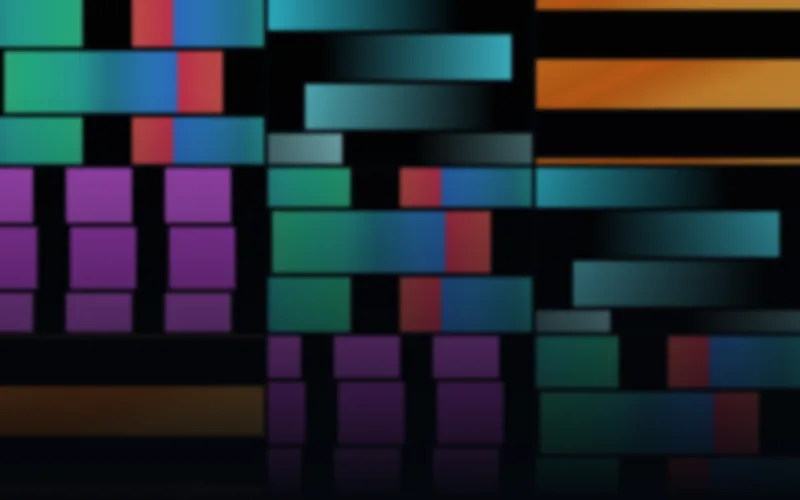
LED Panel Flows & Patterns
$19 USD68 panel-ready motion effects in six palettes and eleven sizes.
68 distinct designs
AVIMP4SWF
11 native layouts · up to 256×256EXPLORE BY EFFECT TYPE
Simple color-gradient flows and bold patterns for LED panels. Explore readable motion with square, banner and wide native matrix layouts.
68 panel-ready motion effects in six palettes and eleven sizes.
Previews
Check the native dimensions, formats and frame rates on each product page. LED panel, strip and wall compositions have separate layouts. The included editor can customize rendered colors, speed and geometry; your mapping software still determines the controller workflow.
Browse the full libraryBUYING GUIDE
Flows are the connective tissue of an LED program: broad gradients that fill the panel evenly, bands that travel, and patterns that repeat without asking for attention. They work as a background under other content, as a color wash between cues, and as the first thing to try on an unfamiliar display, because they look correct at almost any resolution.
LED Panel Flows & Patterns ships 68 designs in six palettes and eleven native sizes, from 60×10 ticker strips and 32×8 banners up to 256×256 squares. It covers gradient rivers, breathing color fields, radial blooms, color curtains, wide waves, rainbow wheels, flower rotation, border chases, crossbars, dancefloor blocks, rainbow rain, gate wipes, alternating panel wipes, bouncing blocks, diagonal ribbons and tile relays. This is the pack that keeps a wall of panels busy without showing a recognizable scene.
Pair it with Ambient Architecture when the room should stay calm, or Neon Geometry when the same color work needs harder edges.
Deliveries use 25 FPS with black effect backgrounds. The eleven native layouts cover ticker, banner, rectangular and square panels; AVI and rendered SWF keep the exact LED dimensions, while MP4 may use a documented transport canvas for very small sizes. Confirm the sizes you need on the product page rather than assuming every shape is included.
Every paid pack includes the Windows Pixel LED Effects Editor. Gradients are the easiest family to retint, so this pack is a good place to start when a client wants the motion but their own brand colors: load, shift the palette, export a copy, keep the original.
For arrows, lanes and graphic motion, browse LED matrix animations. For single-row installations, see LED strip chasers.